Export Salesforce Static Resources
Download all Static Resources from your Salesforce org — JavaScript libraries, CSS stylesheets, images, fonts, and any other assets deployed to your org's pages. Apply filters to scope by name, type, or any other Static Resource field.
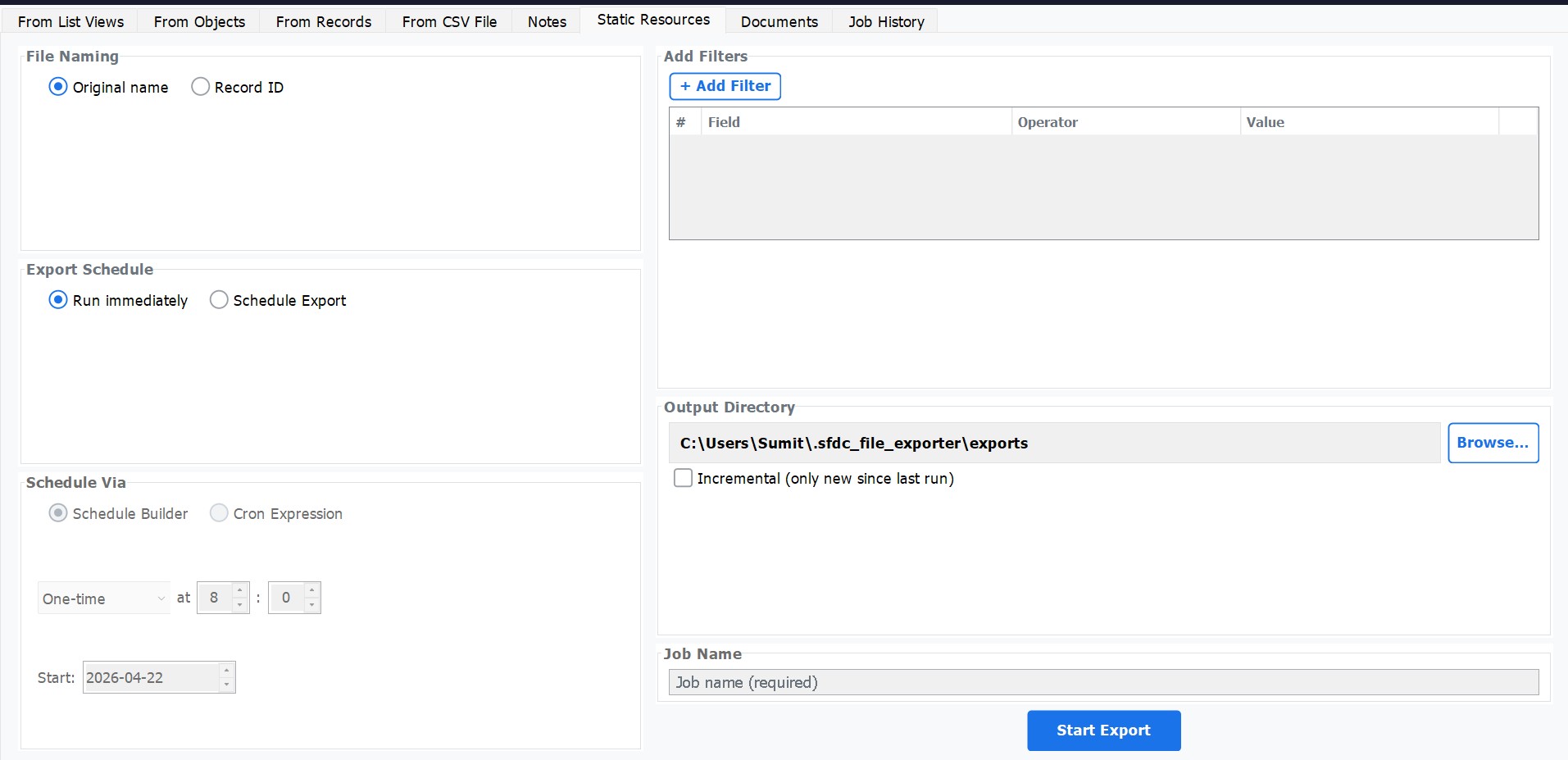
How to Use
Select Export Type
Choose Export Static Resources from the main export menu.
Add Filters (Optional)
Click Add Filter to narrow the export by fields such as Name, ContentType, or CreatedDate. Multiple filters can be combined to target exactly the resources you need.
Choose Incremental Mode (Optional)
Enable Incremental Export to only download resources added or modified since the last run — useful for keeping a local copy in sync with production without re-downloading the entire resource library each time.
Set Output Folder & Export
Set your destination folder and click Export. Original resource file names are preserved exactly as they appear in Salesforce.
Use Cases
- Backup org static assets before a major deployment or org migration.
- Keep a local copy of production static resources in sync using incremental scheduled exports.
- Migrate static resources between Salesforce orgs — export from source, re-upload to target.
- Audit what JavaScript libraries, CSS frameworks, and other assets are currently deployed in your org.