Join the Success
Global Brands That Trust SFDC File Exporter
From startups to Fortune 500 — Salesforce teams around the world rely on this tool for mass exports.




















SFDC File Exporter is a powerful tool for bulk-downloading Files, Attachments, Content Documents, Notes, Enhanced Notes, Rich Text Fields, Static Resources, Notes, Enhanced Notes, images from Rich Text Fields, and Rich Text Fields as PDFs directly to your machine.
No complex setup. No cloud dependency. Just install, connect, and export — with full control at every step.
Download the lightweight desktop application and install it on your Windows machine in seconds.
Authenticate using your Salesforce credentials and security token. OAuth-based, fully secure.
Filter by object, file type, date range, owner, or keywords. Or bulk-select everything in one click.
Click Export and watch your files download locally — in original format, organized and ready to use.
From native file objects to Notes, Rich Text fields, and scheduled automation — SFDC File Exporter covers every export scenario in one unified interface.
Export ContentDocument and ContentVersion records — the modern Salesforce file storage standard. Preserves version history context.
Export legacy Salesforce Attachments linked to any object. Essential for pre-Spring '16 orgs and data migration projects.
Export records from the Salesforce Document object — org-wide files stored in document libraries, not linked to records.
Download Salesforce Static Resources — JavaScript libraries, CSS files, images, and other static assets used in your org's pages.
Export classic Salesforce Notes (Note object) as TXT, PDF, or Word. Retain note body, title, owner, and creation date in every output.
Export Enhanced Notes (ContentNote) with full rich-text fidelity — including formatting, lists, and tables — as PDF, TXT, DOC, or Excel.
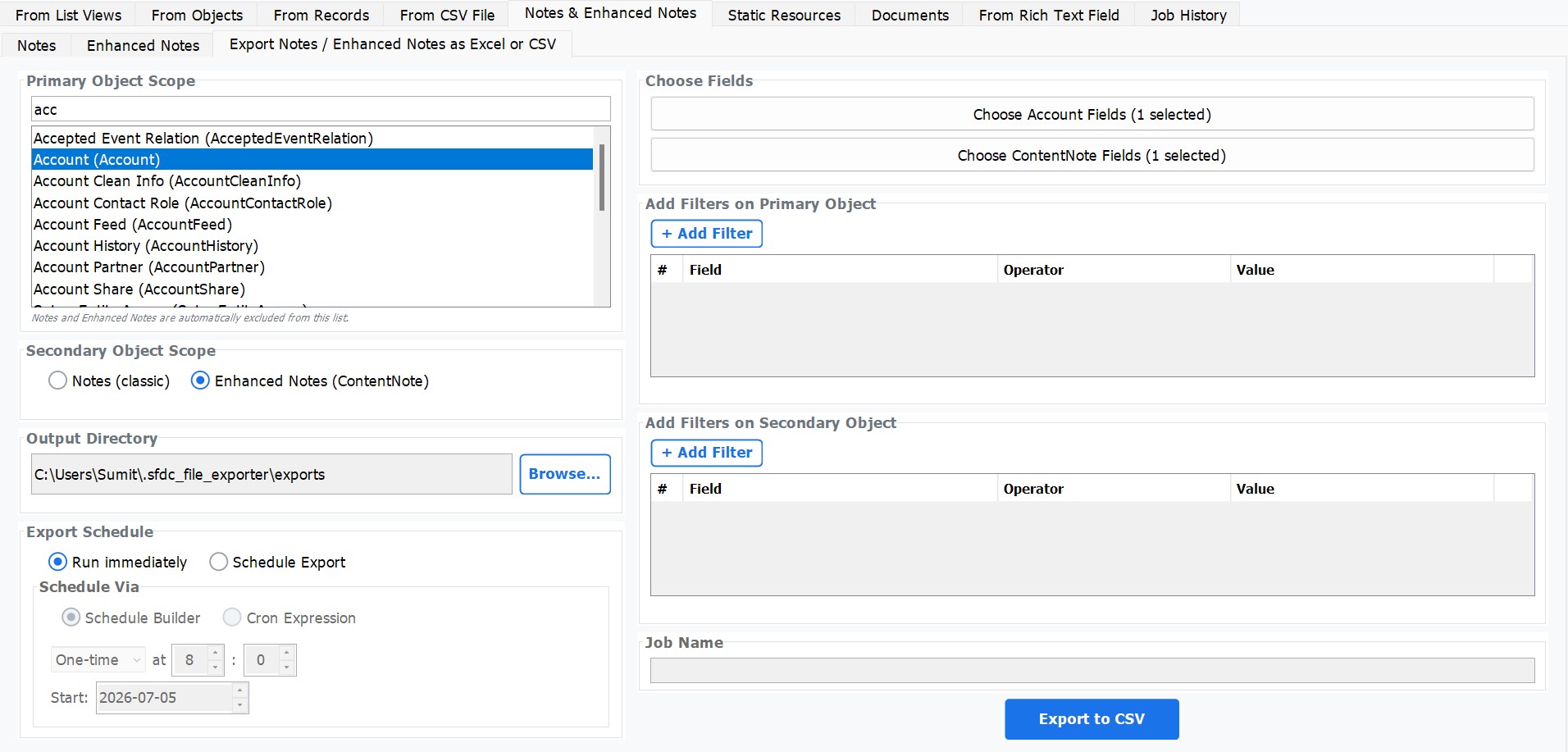
Export all Notes or Enhanced Notes into a single structured CSV — include fields from the parent object in the same row. Ideal for Salesforce migrations.
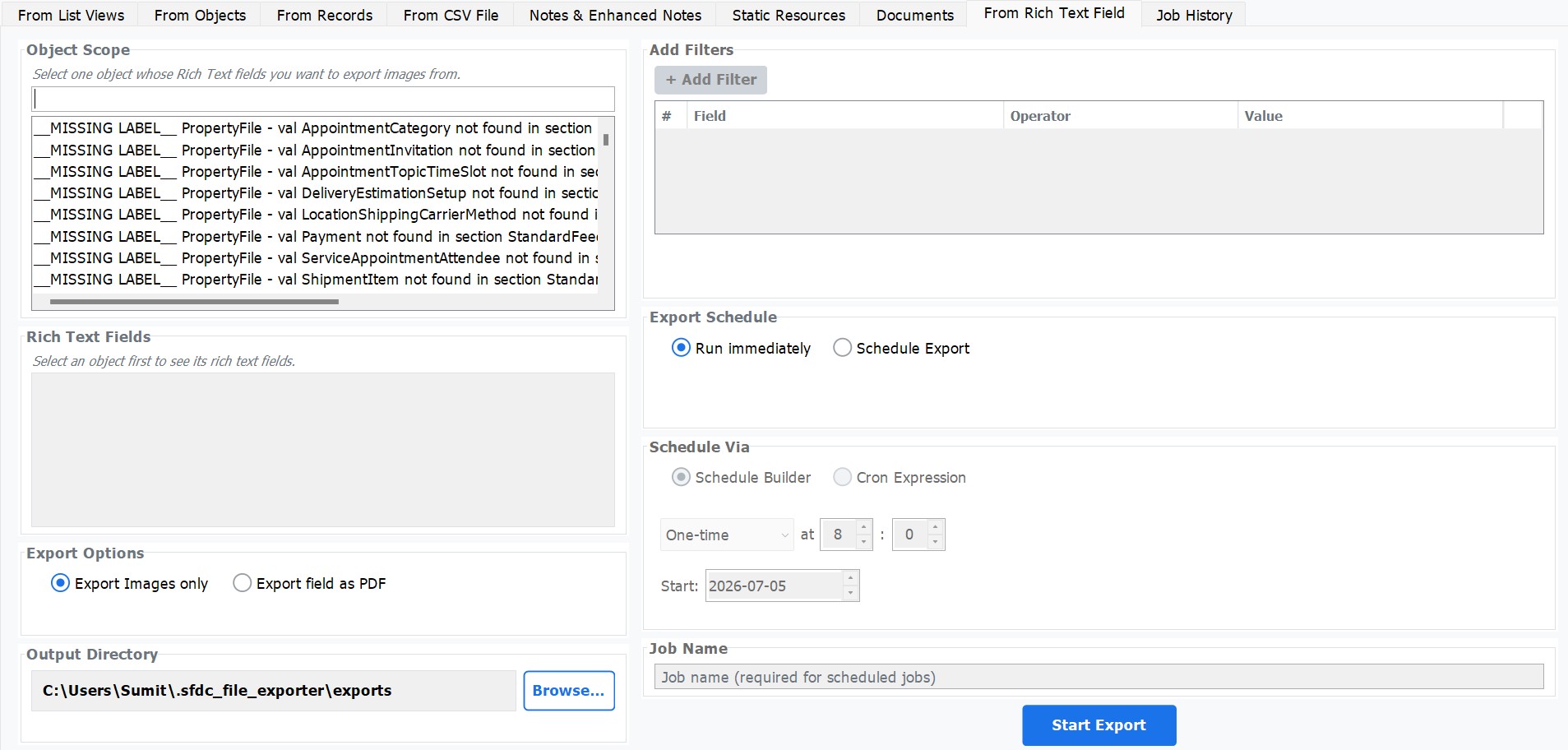
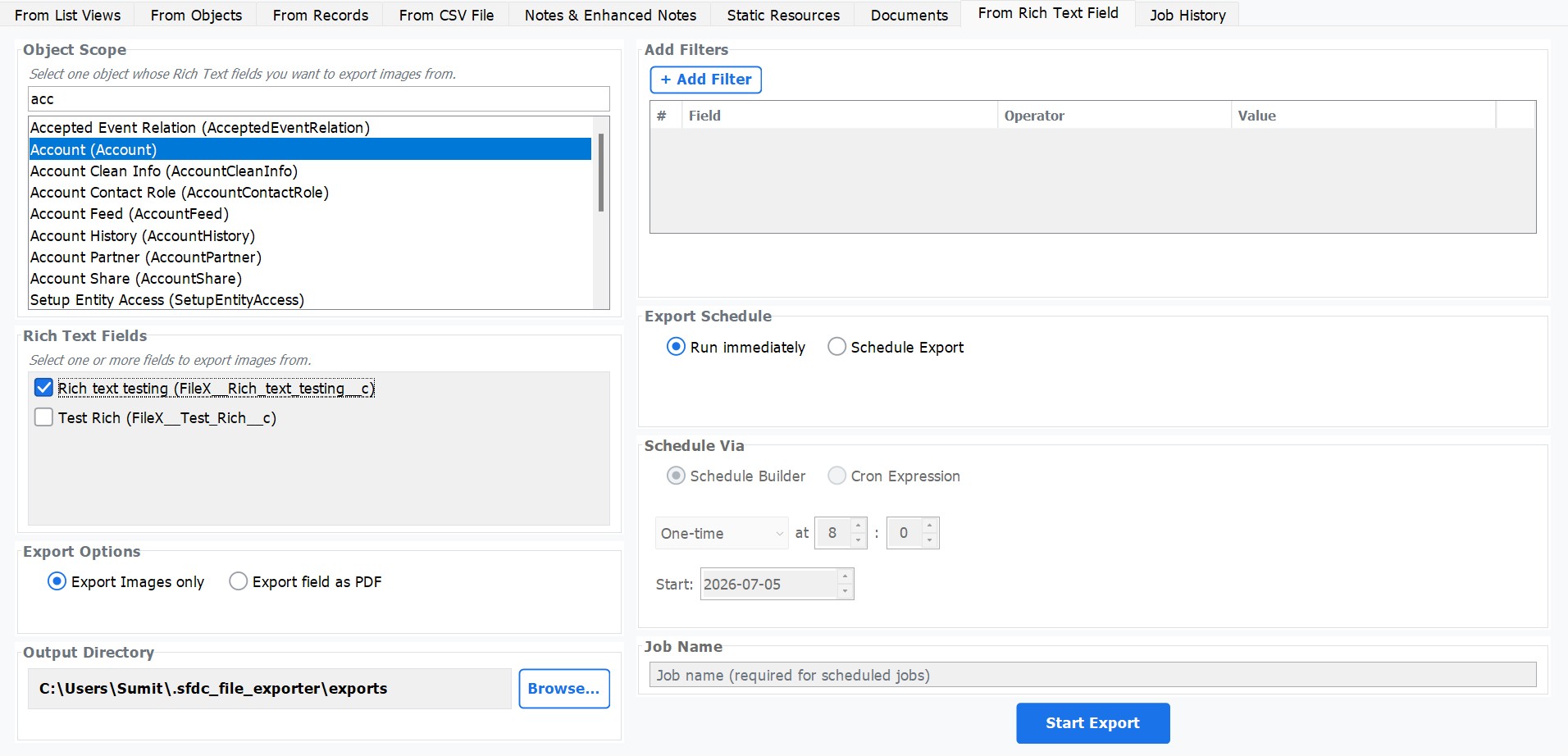
Unique capability — extract every image embedded inside a rich text field and save them to a named folder per record. No other tool offers this.
Extract content from any Salesforce rich text area field and export it as a formatted PDF — preserving fonts, styles, tables, and inline images.
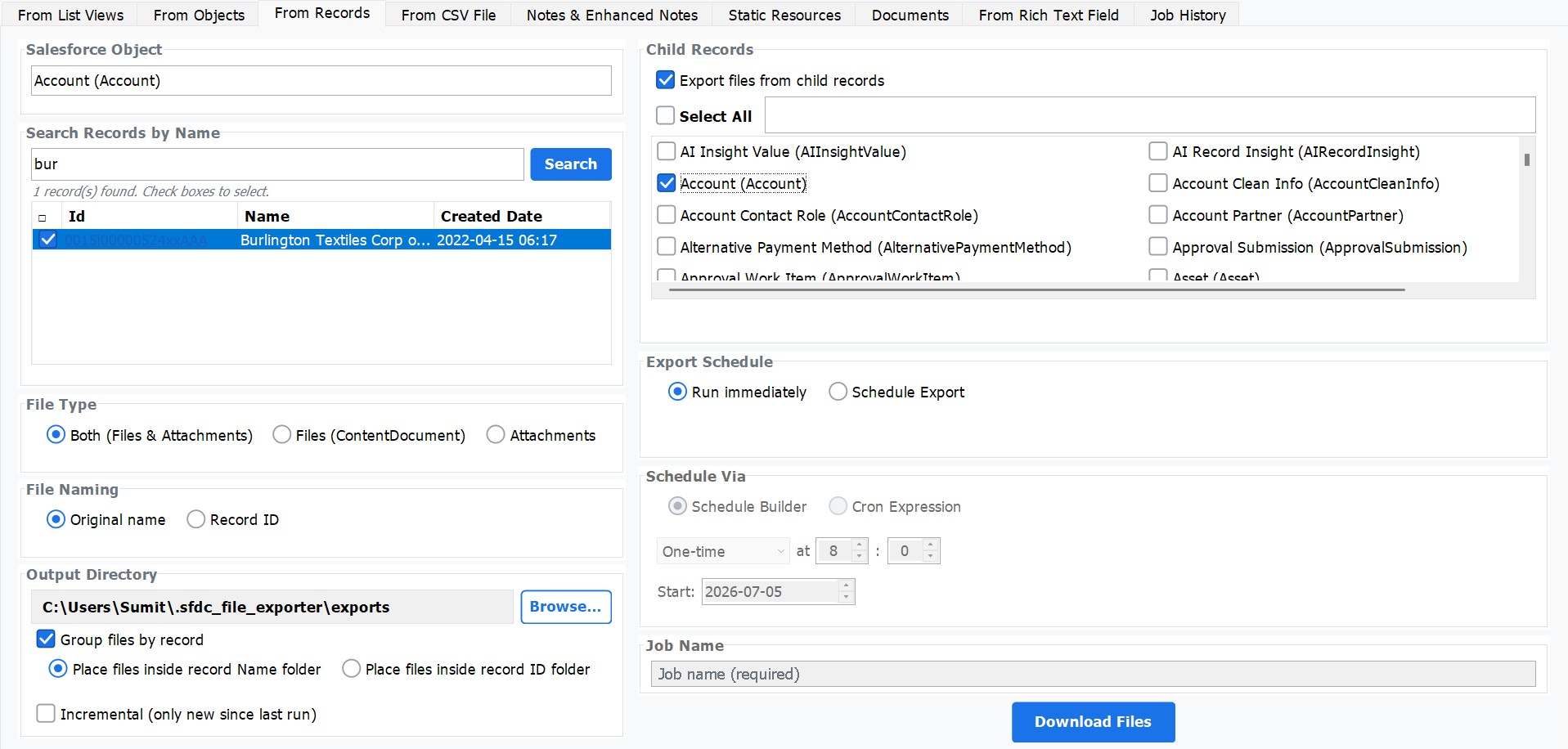
Export files from a parent record and all its child records in one operation — organised into a parent folder with dedicated sub-folders per child.
Set up recurring export jobs on a daily, weekly, or custom cron schedule. Jobs run in the background with full logs in the Job History tab.
Upload a CSV of Salesforce record IDs and download all linked files in bulk — precise, list-driven exports from any report or Data Loader output.
From startups to Fortune 500 — Salesforce teams around the world rely on this tool for mass exports.
From simple one-off exports to complex scheduled workflows — SFDC File Exporter handles it all with precision and speed.
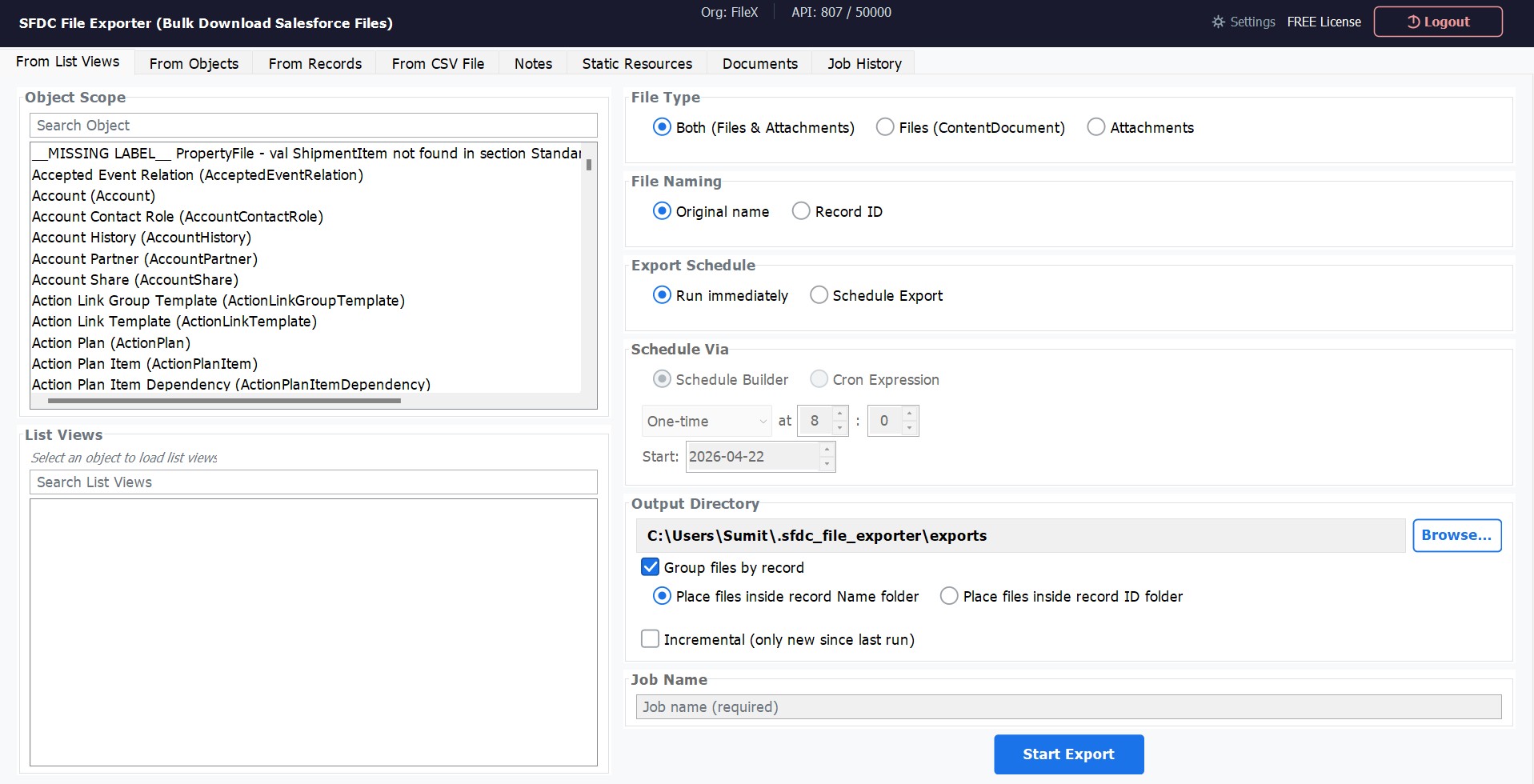
Select any Salesforce object, pick a list view, and export all associated files in one operation. Supports both Files (ContentDocument) and Attachments, with flexible file naming and output folder selection.
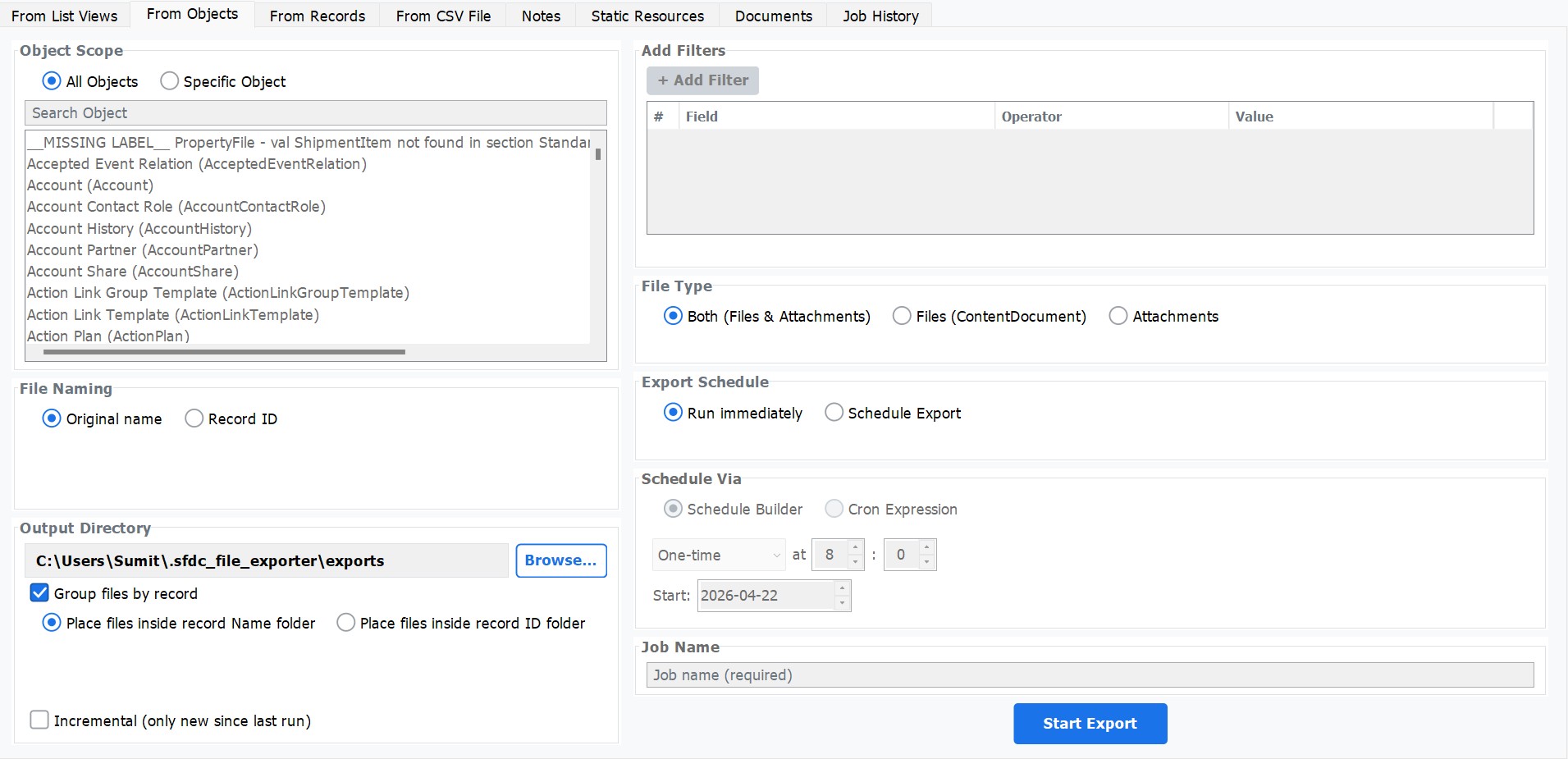
Target all objects or zoom in on a specific Salesforce object. Build field-level filters using any field, operator, and value combination — so you export exactly the records you need, nothing more.
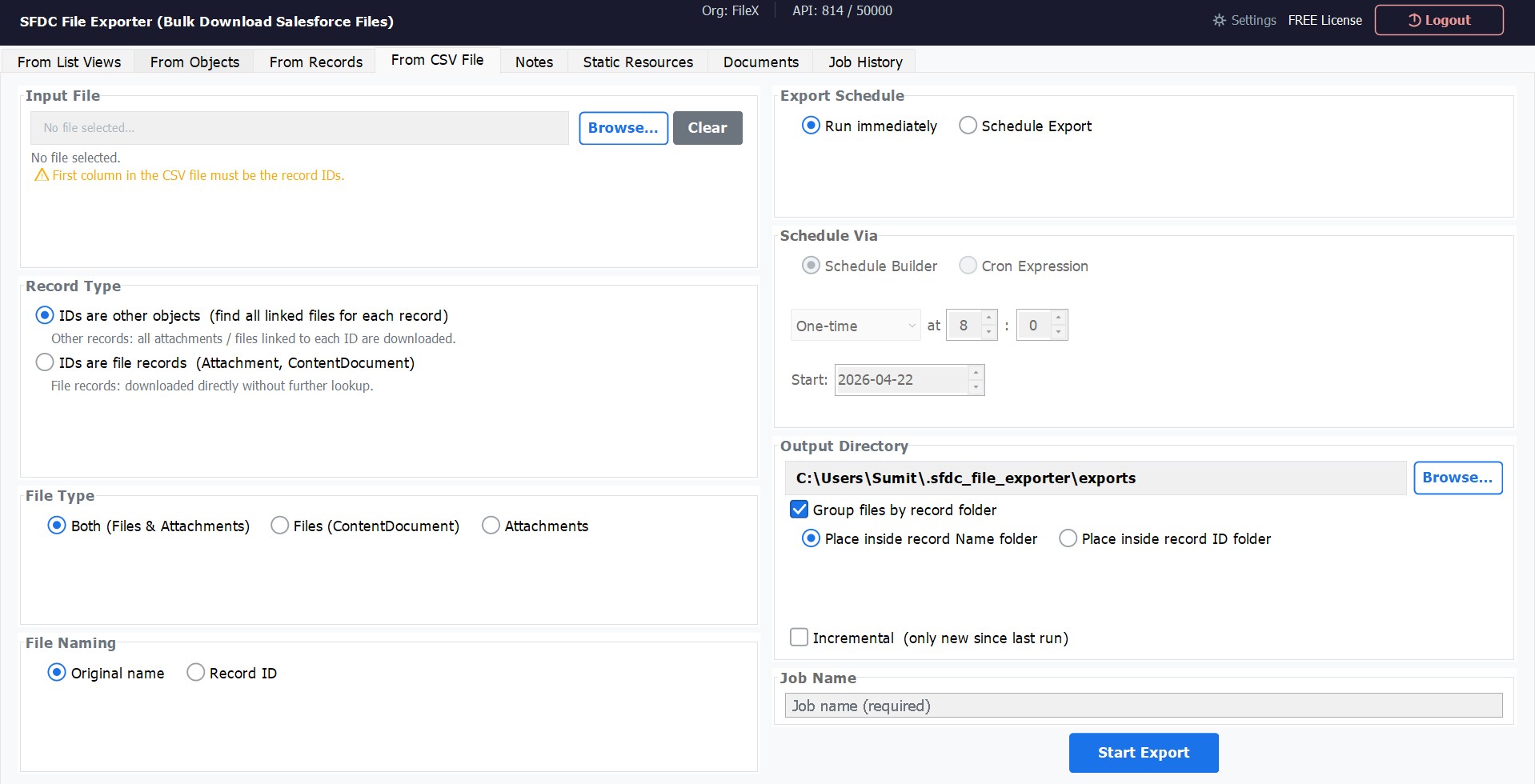
Prepare a CSV file containing Salesforce record IDs and let the app do the rest. Works with parent record IDs or direct file record IDs (ContentDocument / Attachment) for precise batch downloads.
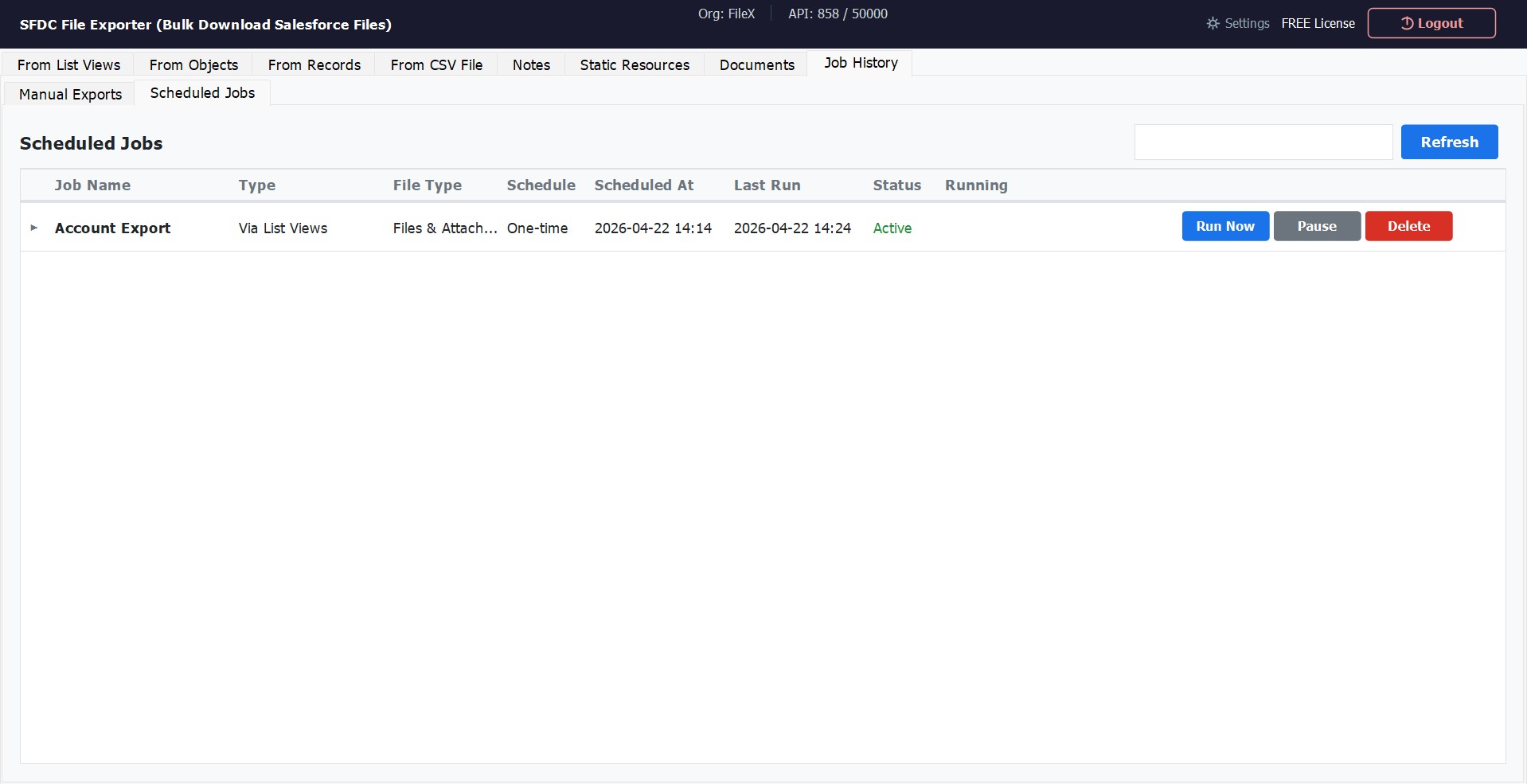
Set up export jobs to run on a recurring schedule — one-time, daily, or via cron expression — and monitor them all from the Job History dashboard. Pause, resume, or trigger any job instantly without re-configuring from scratch.
Extract rich text content directly from any Salesforce rich text field and export it as a formatted PDF — preserving fonts, styles, lists, tables, and inline images. No external PDF library required.
Export Salesforce classic Notes and Enhanced Notes (ContentNote) in multiple formats. Classic Notes export as TXT, PDF, or Word. Enhanced Notes export with full rich-text fidelity, plus optional Excel output for bulk review and processing.
Export every Note and Enhanced Note from your Salesforce org into a single structured CSV — the fastest way to archive, migrate, or report on note data at scale. Invaluable for Salesforce-to-Salesforce migrations: carry note content and parent record context together in one flat file.
Export all related files across parent and child records in a single operation. The app automatically creates a folder for the parent record, places its files there, then creates dedicated sub-folders for each child record and organises their files inside — giving you a clean, navigable folder hierarchy with zero manual sorting.
No other tool can do this. SFDC File Exporter can extract every image embedded inside a Salesforce rich text field and save them as individual image files — automatically organised into a dedicated folder for each record.
SFDC File Exporter is a desktop application — it runs entirely on your local machine. Your Salesforce credentials are authenticated directly with Salesforce's OAuth servers. No data is routed through our infrastructure at any point.
Industry-standard Salesforce authentication. No password ever stored.
100% desktop execution. Files go from Salesforce directly to your drive.
We collect no usage data, metadata, or analytics from your exports.
Session tokens are used per-run and not persisted beyond the session.
From solo admins to enterprise consulting firms — here's what our customers say.
"We had to migrate 40,000+ attachments from a legacy org. SFDC File Exporter handled the entire job in a few hours. What would have taken days manually was done before lunch."
"The SOQL-based export is a game-changer. I can target files for specific accounts or opportunities with precision. Saved our team countless hours during our org consolidation."
"Security was our main concern — our compliance team approved it specifically because data never leaves our network. The tool does exactly what it says it does. No fluff."
Whether you're decommissioning an org, running a compliance audit, or reducing Salesforce storage costs — SFDC File Exporter handles the bulk download without AppExchange, coding, or third-party servers.
Bulk export all Salesforce files and attachments before migrating to a new org or merging Salesforce instances. Preserve every ContentDocument and Attachment with its original filename and parent record context.
When a Salesforce subscription is ending, download every file before the org goes dark. SFDC File Exporter exports the full file library — PDFs, contracts, invoices, images — in a single scheduled run.
Export files for regulatory compliance, legal discovery, or audit requirements. Filter by object, date range, or file type to extract precisely the documents your compliance team needs — with a full CSV audit trail.
Schedule recurring file backups to keep an off-platform copy of every document, attachment, and note. Incremental mode only downloads new or modified files since the last run — keeping your archive current without re-downloading everything.
Salesforce file storage is billed above the included allocation. Export older files to cheaper on-premises or cloud storage, then delete them from Salesforce to reduce your monthly storage bill.
Moving employee records, contracts, or invoices from Salesforce to an HR system, DMS, or SharePoint? Export files organized by parent record so they're ready to import directly into your destination system.
No AppExchange installation required. SFDC File Exporter is a Windows/Mac/Linux desktop app — nothing is installed into your Salesforce org. Download SFDC File Exporter →
Everything you need to know before getting started with SFDC File Exporter.
View All FAQs